Cost-based pricing for first party products
Major Upgrade
❗ Important: This feature is currently in the Preview status.
This release introduces cost-based pricing, giving marketplace operators a new way to price products using actual cost instead of relying only on MSRP. The update improves margin visibility, supports more accurate pricing decisions across first-party and syndicated products, and extends pricing flexibility through configurable markup methods in product settings and price books.
Key highlights
- Introduces cost-based pricing as a new pricing model.
- Allows authorized users to add and view product cost and use it as a pricing reference.
- Supports cost-based pricing for first-party products.
- Enables pricing configuration based on either cost or MSRP.
- Adds flexible pricing methods, including:
- Percentage-based markup
- Fixed amount markup
- Fixed-price configuration
- Supports separate pricing rules for sales and wholesale channels.
- Extends cost-based pricing to Price Books for more consistent segment-specific pricing.
- Improves margin visibility and helps reduce the risk of pricing products below cost.
How cost-based pricing works
Cost-based pricing shifts pricing from an MSRP-led model to a cost-plus approach. In the initial version, users can enter a single cost value that represents the effective cost of a product, including applicable expenses, rebates, or allowances. Pricing rules can then be applied relative to that cost.
When configured, sale price, wholesale price, and price book pricing can all be based on cost. Users can also view cost alongside MSRP as reference values. If custom pricing is not configured, MSRP remains the default. The system also prevents pricing configurations that would result in a markdown below cost.
UI updates
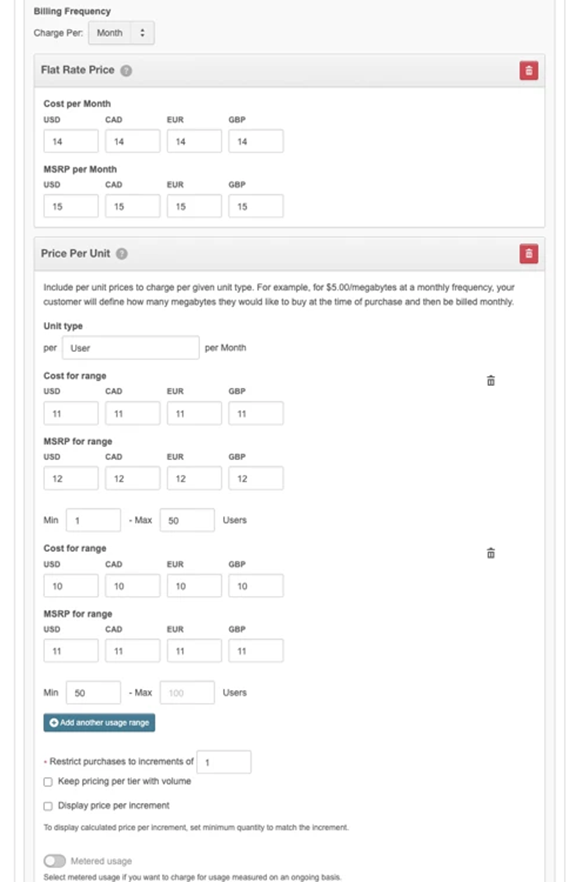
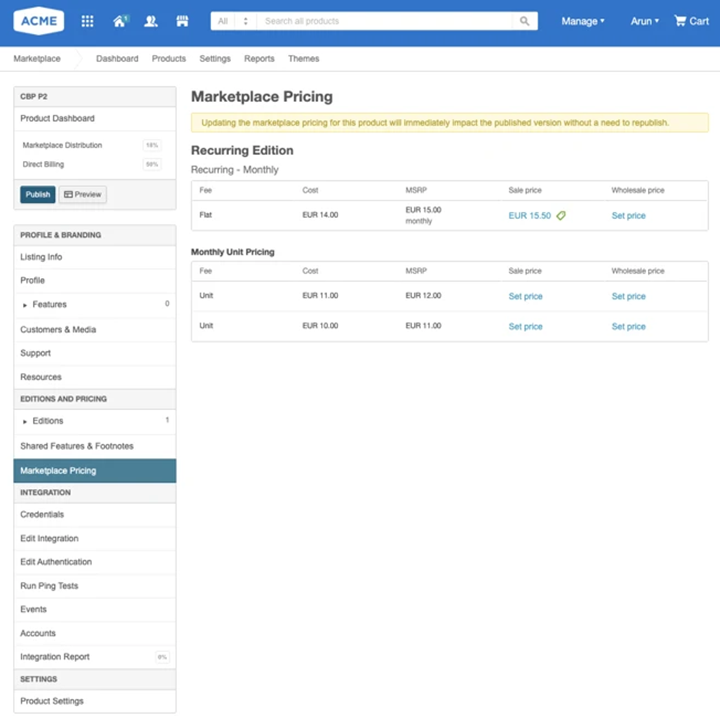
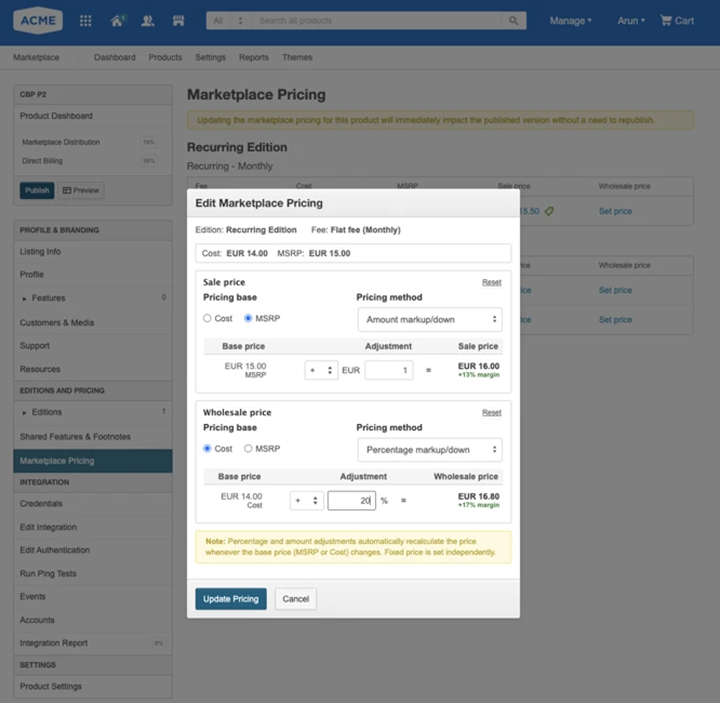
Authorized users can access new cost visibility and markup configuration fields in:
-
Manage > Marketplace > Products > Production or Staging catalog > Edit Product > Editions > Pricing or Payment plan
-
Manage > Marketplace > Products > Production Catalog > Edit Product > Marketplace Pricing
-
Manage > Marketplace > Products > Price Books
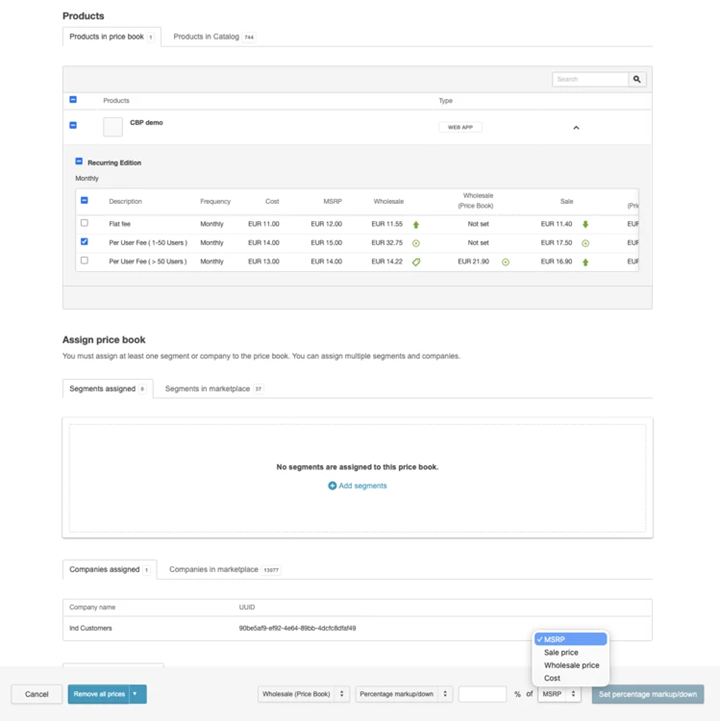
These updates allow users to view cost alongside MSRP, configure markup behavior using multiple pricing methods, and manage pricing rules separately for sales and wholesale channels.
Not included in this release
- ISV promotion calculation implementation
- Discount enforcement at checkout
Feature enablement
This feature is not enabled by default. Contact your AppDirect technical representative to request it.
Setting enablement
Setting enablement is required. Contact your AppDirect technical representative to request it.
Documentation
Refer to Cost-based pricing.
Was this page helpful?
Tell us more…
Help us improve our content. Responses are anonymous.
Thanks
We appreciate your feedback!